Dashboard
The Dashboard is your personal command center in Reservium. It's where you can track all your active bookings, review past events, and manage your schedule at a glance.
Accessing the Dashboard
You can quickly reach your Dashboard from any page:
- Click your username in the top-right corner.
- Select My Events from the dropdown menu.
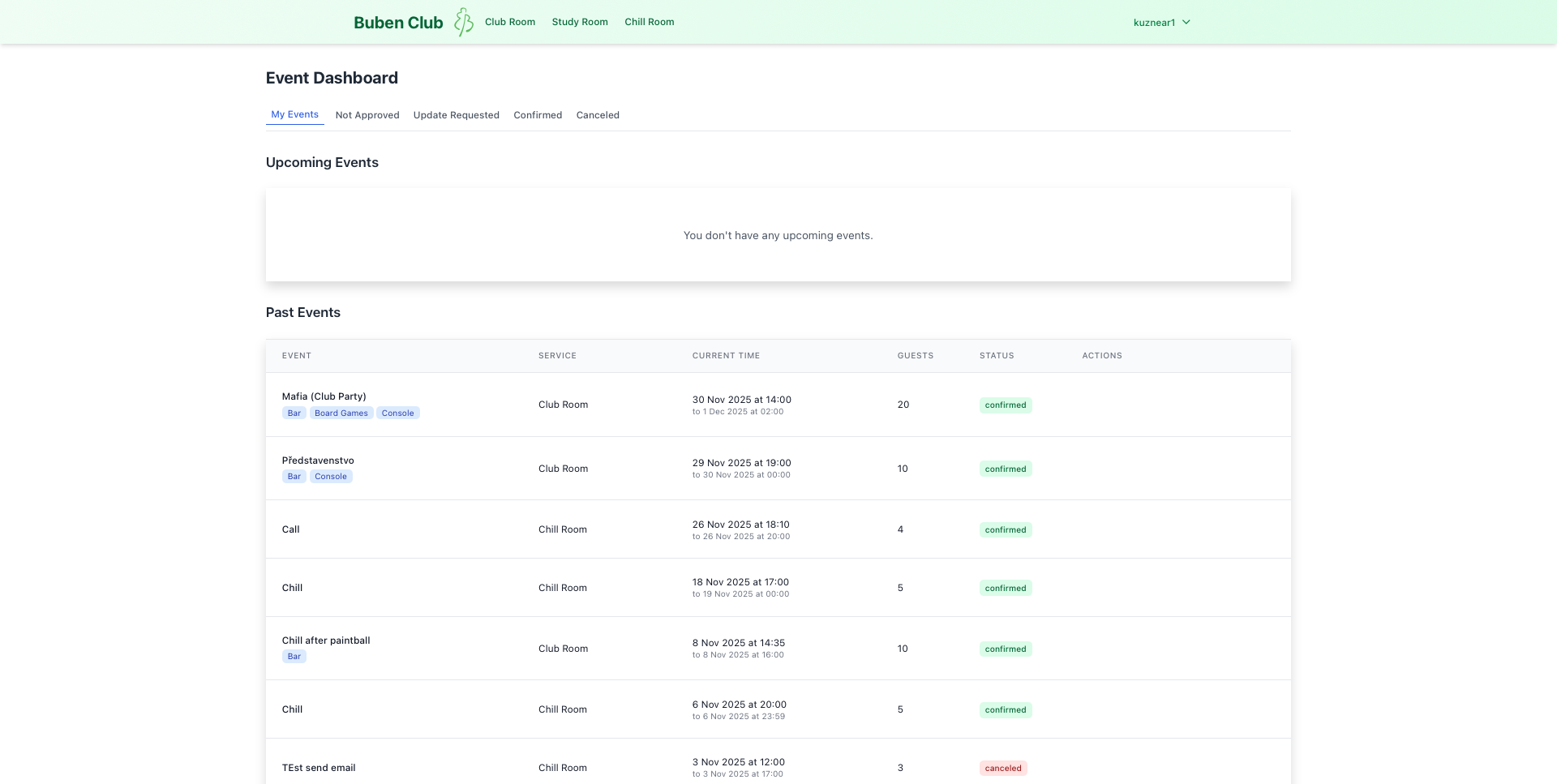
Dashboard Overview
The Dashboard is organized into two primary sections to help you focus on what's coming up next.
Upcoming Events
This section displays all your current and future reservations.
- Stay Informed: Each card shows the service name, date, and time.
- Empty State: If you have no upcoming plans, a friendly message will let you know there are no scheduled events.
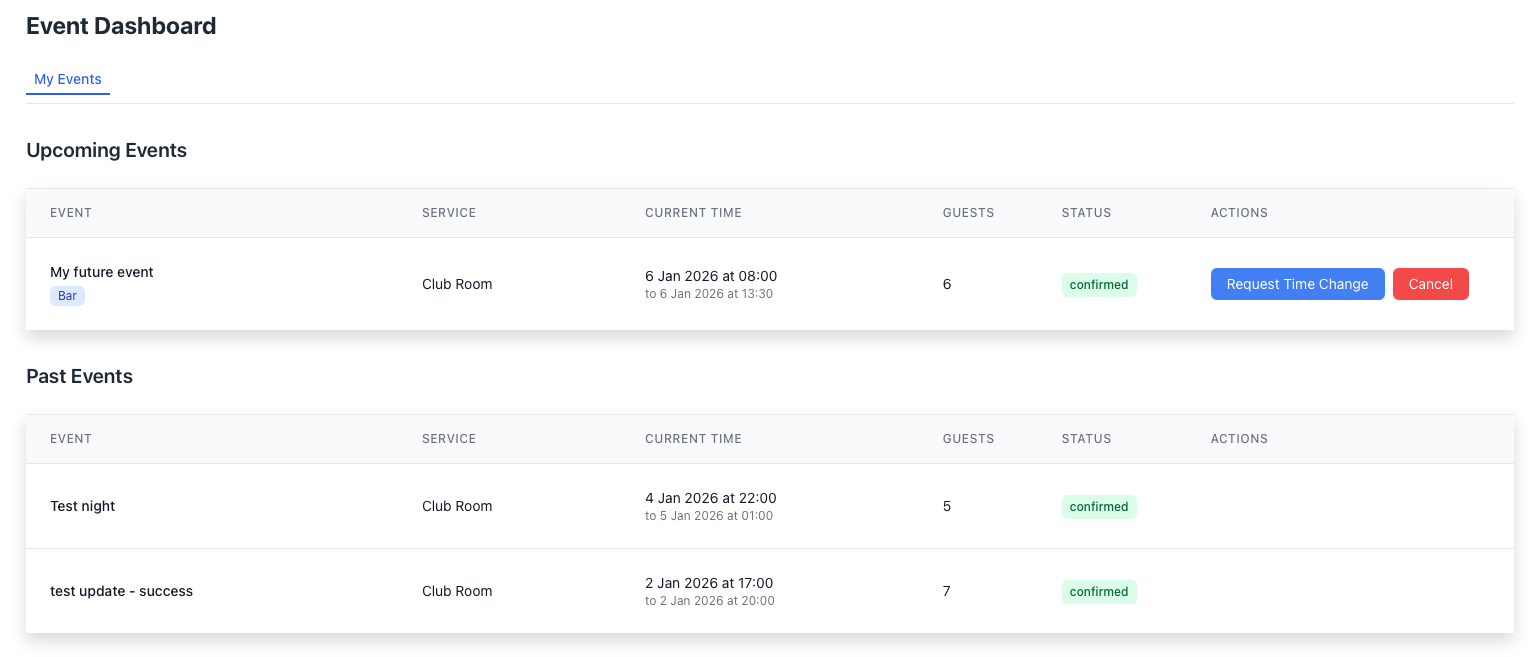
Past Events
Scroll down to see a complete history of your past reservations. This is useful for reviewing where you've been or re-booking a favorite spot.
Each entry includes:
- Event Name
- Service (e.g., Club Room, Chill Room)
- Date and Time
- Guests
- Status
Understanding Statuses
Every reservation is assigned a status to keep you updated on its progress:
| Status | Description |
|---|---|
| confirmed | Your reservation is approved and ready for you. |
| not_approved | The reservation is pending review by a manager. |
| canceled | The reservation has been removed. |
Available Actions
Manage your reservations directly from the list:
- View Details – See full information about the booking.
- Delete – Cancel a reservation you no longer need.
- Request Change – Ask to update the time or details.
- Check Status – See if your pending reservation has been reviewed.
Manager Privileges
If you have a manager role, you will see the same layout but with additional administrative tools to approve and edit reservations for other users. Learn more in the Manager Guide.