Manage Reservation Services
Reservation Services are the top-level entities in Reservium. They represent the actual rooms, spaces, or facilities that your organization makes available for booking.
Services Overview
The Services list provides an inventory of all reservable spaces. Each service acts as a container for calendars and mini-services.
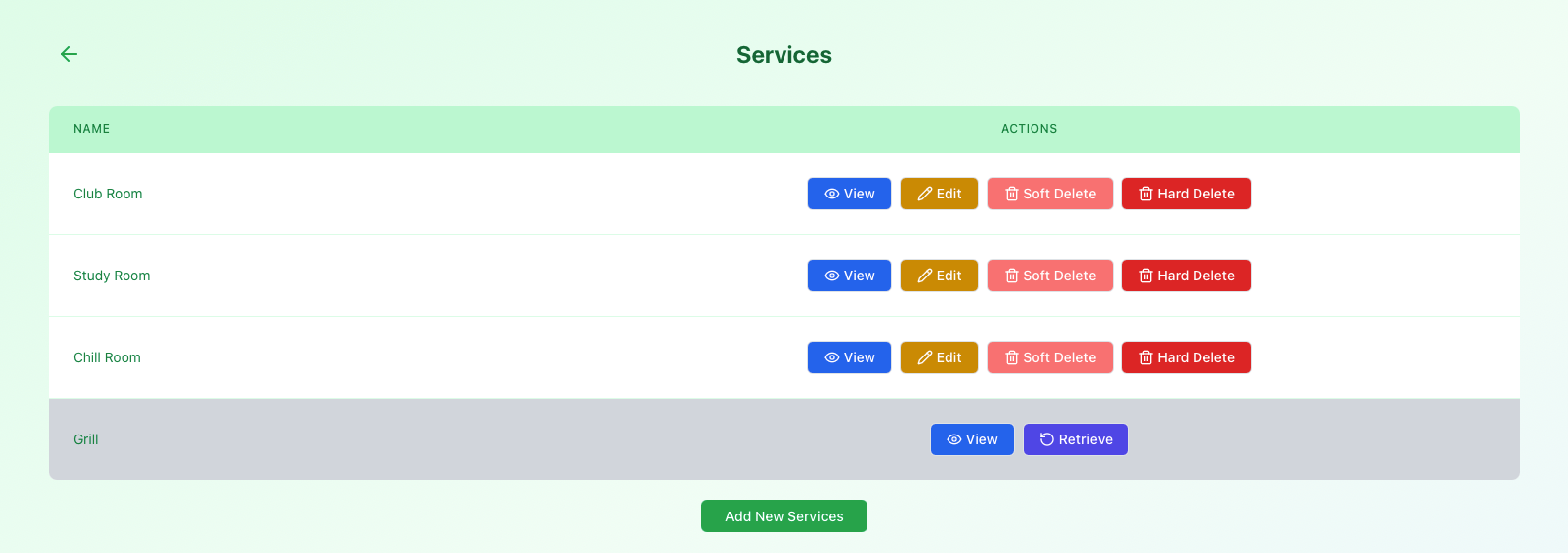
Examples of services include:
- Meeting Rooms
- Study Zones
- Chill Rooms
Available Actions
View Details
See high-level metadata and configuration for a specific space.
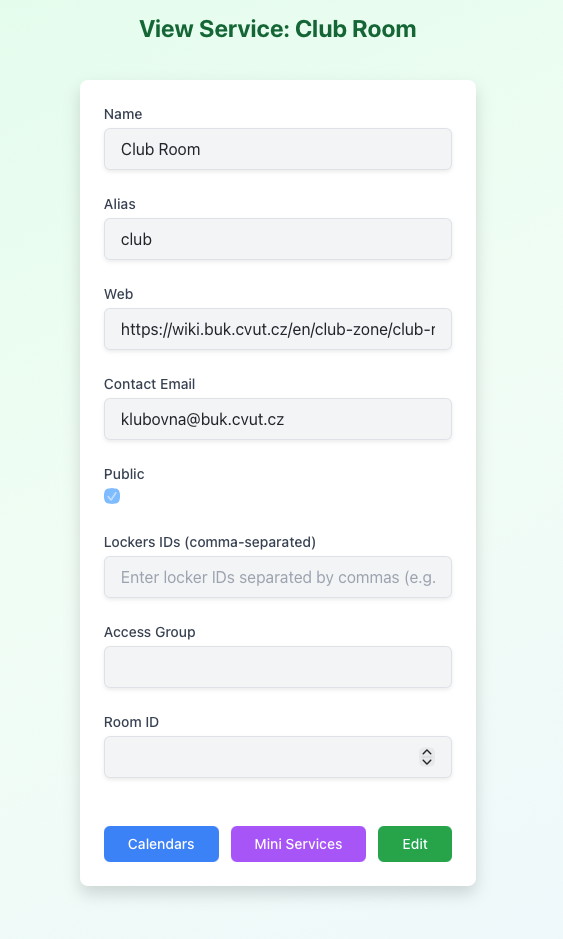
Key Information:
- Name & Alias: How the service appears to users.
- Visibility: Whether the room is public or hidden.
- Contact Email: The email address for service-related inquiries.
- Contact Info: Links or websites for the room.
- Metadata: Internal room and locker IDs.
Edit Metadata
Updating the core identity of a service (like its name or visibility) is a sensitive operation.
- Permission: Currently restricted to Superusers.
- Scope: Managers can view these details but cannot modify the top-level service metadata.
Soft Delete
Temporarily hide a service from all users.
- No new calendars or reservations can be created while deleted.
- All existing data remains safe in the background.
Hard Delete
Permanently erases the service and all its children (calendars, mini-services, events).
Critical Action
Hard deletion is restricted to Superusers and is irreversible. Use only for removing test data or redundant entries.
Permissions Summary
| Action | Manager | Superuser |
|---|---|---|
| View Details | ||
| Edit Service | ||
| Soft Delete | ||
| Hard Delete | ||
| Access Calendars |
What’s Next?
Once a service is defined, you can build its internal logic:
- Manage Calendars: Set up the actual booking tracks and rules.
- Manage Mini-Services: Add optional extras for the service.