Manage Mini-Services
Mini-services allow you to offer optional extras alongside a reservation. Whether it's a projector for a meeting room or bar access for a social event, these add-ons enhance the user experience and help you track resource usage.
Mini-Services Overview
Each mini-service belongs to a specific parent service but can be selectively assigned to one or more calendars within that service.
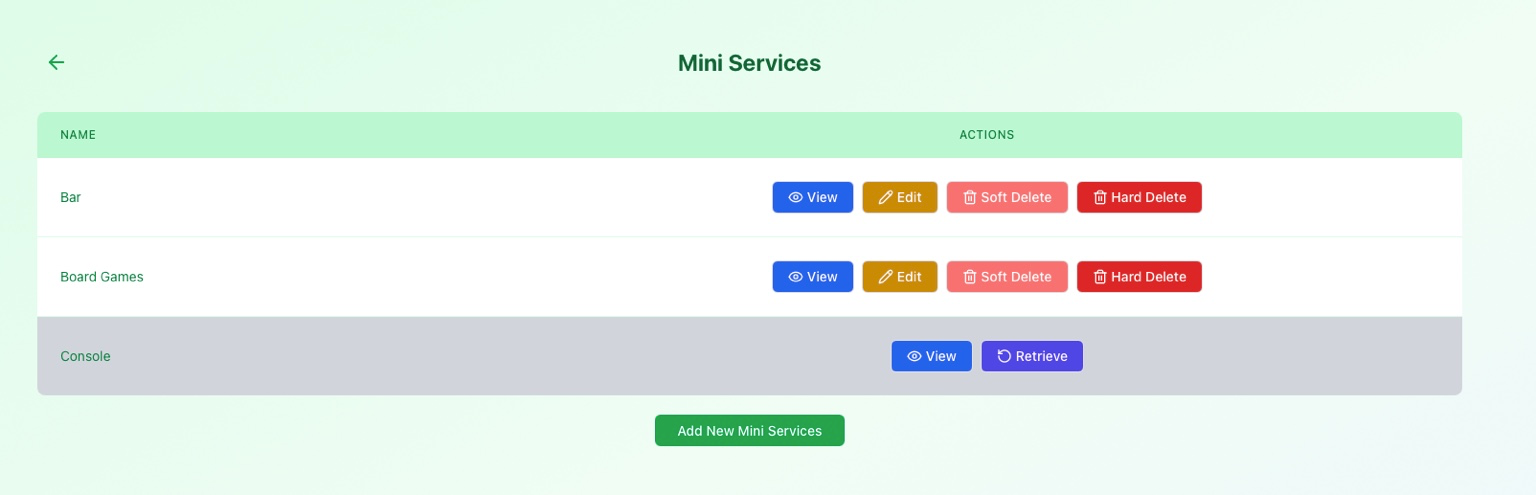
Common examples of mini-services:
- Bar or Catering access.
- Gaming Consoles or equipment.
- Board Games collection.
- Special Access permissions.
Available Actions
View Details
Inspect the technical configuration of an add-on, including its access groups and metadata.
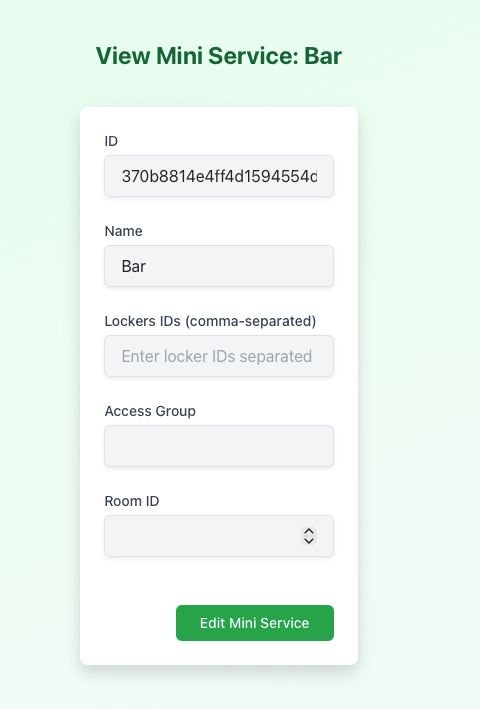
Key info shown:
- Service ID: Internal identifier.
- Access Groups: Roles required to see/book this service.
- Room Metadata: Internal room or locker assignments.
Edit Service
Modify the name, access requirements, or internal tracking data.
- Note: Only users with manager permissions for the parent service can perform edits.
Soft Delete
Disable an add-on without losing its historical association with past reservations.
- The service disappears from the user's booking form immediately.
- Can be Retrieved (Restored) if needed later.
Hard Delete
Permanently removes the service from the database.
Use with Caution
Hard deletion is an irreversible action restricted to Superusers. It is recommended to use Soft Delete for general maintenance.
Permissions Summary
| Action | Manager | Superuser |
|---|---|---|
| View/Edit | ||
| Soft Delete | ||
| Hard Delete | ||
| Restore |
What’s Next?
Mini-services aren't useful until they are assigned:
- Manage Calendars: Learn how to attach these add-ons to specific reservation tracks.
- Manage Services: Oversee the high-level service structure.